Now I just need to work out the mechanics to get this working…
Author Archives: B-List Microsoft Celebrity, Available for Weddings and Bar Mitzvahs
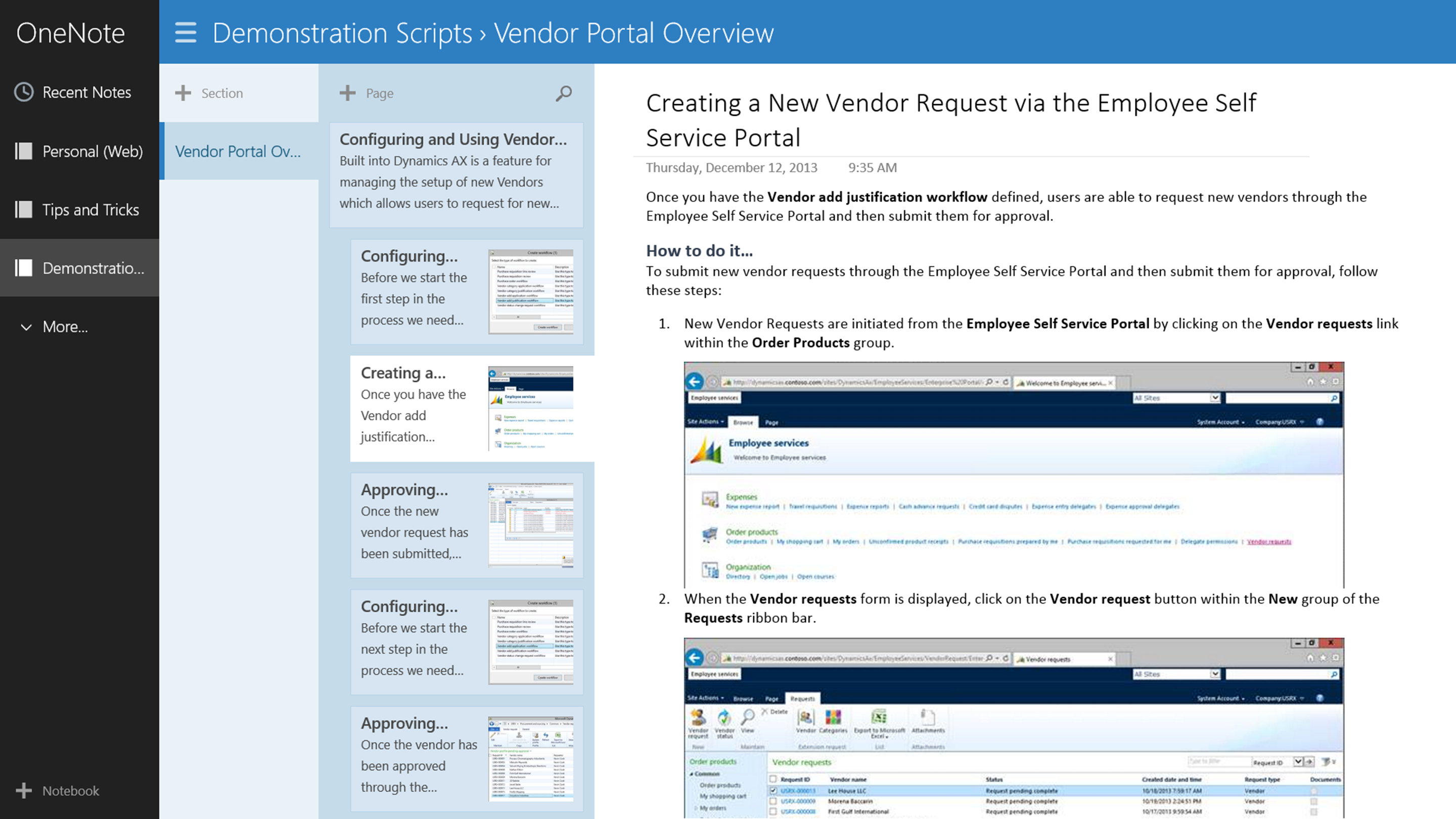
Why I Love My Windows Surface – Reason #132: Access Demonstration Script Through OneNote
Setting Up A Retail Store With POS
- Dynamics AX 2012 now has a retail module that includes store management, and also the ability to set up Retail Point of Sales (POS) terminals to take orders, manage store inventory and also track customers. It may seem a little bit daunting to set up, but it’s really not that hard.
In this blueprint we will go through all of the steps that are required for you to set up your first retail store and then configure the POS register so that you can take orders through the touch screens.
The topics that are described within this series are:
The retail module is pretty darn cool, and being able to configure and deploy a Point Of Sales system that is completely integrated with your base system, without having to purchase any more software is a great benefit. You could easily deploy registers out to PC’s and tablets without much additional work.
There is still a lot more that you can do though that we did not touch on yet within this blueprint. After you have mastered the basics that we introduced here you may want to try:
- Creating custom layouts for different screen form factors
- Change the background image for the POS welcome screens
- Create variations of the POS for different users
Setting up a store has never been so easy.
If you want to view the original post which may have additional content then click here.
Creating Lifecycle Services Business Process Models with the Task Recorder
- The Task Recorder has always been a useful tool within Dynamics AX, but with the release of Lifecycle Services, it has been upgraded to become even more useful. Now the Task Recorder includes the ability to group your recordings into separate frameworks for different purposes, and also allows you to create a hierarchy structure that you can use to organize your tasks and recordings.
In addition to being able to export your task recordings out to Word etc. for off-line documentation, it also allows you to package up all of the business process structures and import them into Lifecycle Services to use them for managing your project and also collaborating with customers and partners. All of the task recordings are converted to process flow charts within Lifecycle Services to that you can adjust the standard business processes to match your requirements, and also all of the task recordings are viewable as live videos making them a centralized documentation tool for all the key business areas during and after the implementation.
In this blueprint we will show how you can set up and configure the business processes within the Task Recorder, create task recordings, and then import the business processes into Lifecycle Services to make them available through via the cloud.
Create Reports Instantly with Autoreports
Sometimes you need to send someone a copy of all the data that you have on your current screen for reference. Although you can send them a screen shot, there is a much better option for you which is called an Autoreport. To create it, all you have to do is press CTRL-P and Dynamics AX will do the rest for you.
Autoreports are great because they will create reports on all of the data that you have in the query regardless of if you have multiple pages, they have hyperlinks back to the main data such as products making drilling into the information easier, and they are more secure since they can be delivered as PDF documents.
Forget the ALT-PRINTSCREEN key combination, and just remember CTRL-P.
Creating an Excel template for Updating Product Costs and Prices
Everyone uses Excel to prepare information for updates within Dynamics AX because it gives you a little bit more freedom as you are massaging the data. If you have the Dynamics AX Add-In for Excel installed on your computer then you don’t even have to key in the data once you have created it because you can create an Excel template that securely updates Dynamics AX from Excel.
In this example we will show how you can use the Dynamics AX Add-In for Excel to create a template for updating product costs and prices, which you can use for mass updates, or quick changes to the pricing without even having to touch the Dynamics AX client.
Here are all of the topics that are included in this blueprint:
- Correcting the InventTableModule Update Method
- Creating an Update Template within Excel
- Creating a Tabular Update Template in Excel Using Matrix Fields
The Dynamics AX Add-In for Excel is a great tool. For quick updates, or corrections of masses of data it makes like a breeze.
Give it a go.
Additional Blog Sites and Blueprints
One of the requests that I have always got after people have browsed and downloaded my posts from SlideShare is that the image quality has not been the best because SlideShare compresses the images when the post them. Another is that it is slow to download the slides, and with 100 slides in some of the presentations, this can be frustrating – especially if you are looking for some particular content. Even when I forward on the PDF, then you may not be able to quite make out the particular code or form within the document. Also, with some of the posts, there is a lot of content that I try to publish, and it may be a little overwhelming to see pages and pages of instructions on my blog posts.
So I am trying a different approach to help you all get the most out of Dynamics AX and wanted to pass on the details since at one point or another I have either talked to you, met with you, demonstrated to you, you have visited my blog (www.atinkerersnotebook.com), you have browsed my SlideShare account (www.slideshare.net/murrayfife) or all of the above.
Developing a Product Approval Workflow in Dynamics AX 2012
- There are a lot of workflow templates that are delivered with Dynamics AX 2012, but that doesn’t mean that those are the only ones that you can use. Developing new workflow templates and actions are pretty straight forward and you can easily extend out the system to incorporate other workflow scenarios that have not been added yet.
In this blueprint we will work through one example and show you how you can develop your own workflow process for product approvals that allow you to submit, track and approve the product review process.
Using Vendor Requests to Manage On-boarding New Vendors
Built into Dynamics AX is a feature for managing the setup of new Vendors which allows users to request for new vendors to be added, for the purchasing group approval process by the way of workflows, and finally automatically create new vendor records. Additionally, if you are using the Vendor Portal, the on-boarding process will allow you to co-ordinate the setup of the vendor users, and if you want to, you van also have the prospective vendors update and approve their information before they are approved to ensure that their details are correct, and that they want to do business with you as well. This process is a great way to streamline the vendor setup process and is also a time saver because people are involved through the workflow process and all activities are tracked.
In this blueprint we will show how the vendor on-boarding process is handled through the Vendor Requests function within Dynamics AX.
Using Export To Excel in Dynamics AX to Create Reporting Data Sources
The Export to Excel button may not seem like the most impressive feature of Dynamics AX, but don’t be fooled. If you look closely, you will notice that the when the data is exported to Excel, the data is still linked to Dynamics AX through the Excel Add-In, which means that once it is in your workbook, you can refresh it at any time without having to re-export. Also, if you want to add additional fields after the export from AX, then you can do that directly from Excel. This means that you can export data from any screen within Dynamics AX and then create reports and analysis within Excel that you can use over and over again without any additional work.
In this walkthrough we will show how you can use the Export to Excel function within Dynamics AX to create live worksheets in Excel. Read More