Archive

Dynamics AX

Dynamics has a lot of little Easter Eggs of functionality built into it, and one of them that I just discovered is the ability to have the system automatically update all of your currency exchange rates through the rate authorities’ web services. There is no need to update these manually ever again.

In this worked example we will show how you can quickly configure the automatic updating of the exchange rates, and then never worry about them again. Read More
The Dynamics AX retail module has a Cross Docking feature that allows you to receive in products on a purchase order and then turn right around and transfer them out to other warehouses to replenish store inventories. This is great when you are receiving in products into a distribution center and then redistributing the stock. But what if you are a more traditional organization that needs to cross dock inventory to other non-retail locations?

In this worked example we will show you how you can still use the cross docking function within Dynamics AX without having to implement all of the retail module in the process. Read More

At the beginning of every presentation I do what is called a Cooking/Foundation/Orientation demonstration so that everyone is able to see some of the general features of Dynamics AX.

This weekend I sat down and recorded it just in case others would like to see a high level overview of Dynamics AX 2012 as well.

Below are the postings and links to the download on SlideShare just in case you want to take a peek:


Video
http://www.slideshare.net/murrayfife/dynamics-ax-2012-orientation

If you like the video, but want to download a higher quality version, then I have also posted it to SkyDrive:

Download
https://skydrive.live.com/redir?resid=871CA0925E2E4A6!17114&authkey=!AFgZoCvaFlsN0rs

I just wanted to thank all of the people that have supported me either by visiting blog (www.atinkerersnotebook.com), by browsing my SlideShare account (www.slideshare.net/murrayfife), or by sitting through my demonstrations of Dynamics AX and inspiring a lot of the content. Over the past 6 or so months I have been retooling some of the more popular posts and have been able to turn them into a book which was published this week J

8331EN_cover

http://www.packtpub.com/extending-microsoft-dynamics-ax-2012-cookbook/book

Thanks again for all of the visits to my site, and watch out for volume #2.

The Service Management area within Dynamics AX allows you to track all of your service order contracts and service orders for your customers, will track all of your time and expenses against the service orders, and will also pass along any chargeable items to the receivables department for automatic invoicing to the customer.

Service Management has additional functions as well that allow you to track the items that are being serviced, define the tasks that are allowed to be performed against a service order, and also track the symptoms, diagnosis, and resolution to service order issues, making it a great tracking and analysis tool.

In this walkthrough we will show how you can create service agreements and orders, and then how you can use the additional tracking features within Service Management to get a tighter handle on your service orders.

Read More

Dynamics AX allows you to configure your own Vendor Evaluation Criteria and then track the vendor performance against any or all of the criteria that you have defined. When you combine this with the Power BI tools, you get a great way to rate vendors, and also a nice way to present Vendor Scorecards.

In this worked example we will show how to configure the Vendor Evaluations, and also how to create a simple Vendor Scorecard without breaking a sweat. Read More

The Lean Manufacturing capabilities are new with Dynamics AX 2012, and they give you a different way of managing your manufacturing processes as compared to the traditional discrete manufacturing models of BOM’s and Routes.  Don’t be scared away though by its new terminology and constructs that it uses to model the manufacturing processes.  It shares a number of the processes that the traditional manufacturing models use, and is pretty easy to configure if you know the right steps.

Also, you don’t have to be a pure “Lean” organization to use the Lean manufacturing processes that are built into Dynamics AX.  You can pick and choose what you use, and even create hybrid manufacturing models that blend both the traditional and lean processes.

In this worked example I will show you how you can create a simple set of Lean Manufacturing processes and see them in in action.

The topics that are described within this series are:

In this worked example we worked through the setup of a set of simple production and transfer Kanbans.  The interesting thing about these processes, is that you don’t necessarily need to be a Lean Manufacturer in order to take advantage of these capabilities.  For piece work, then this process works really well, and also the transfer Kanbans can easily be used by traditional manufacturers to replenish floor stocking areas.

Once you have worked through these examples, you may want to branch out and try other areas of the Lean Manufacturing that we didn’t address in this presentation.  Features that you may want to try include:

  • Having multiple activities in a Process Flow that are chained together.
  • Using the bar code scanning to further automate the job reporting process
  • Using the planning and scheduling in conjunction with the Lean Manufacturing to create the purchase forecasts etc.

This is a really useful feature within Dynamics AX.  Just because you have always used BOM’s and Routes does not mean that you can’t dabble in Process Flows and Activities.  Give it a try and I’m sure you will like what you find out.

If you want to view the original post which may have additional content then click here.

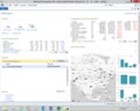
This week I was challenged to find a way for one of our customers to view how many customers they have by zip code, and compare it to the population within the area so that they can determine if they should accept new customer requests. Their customers are actually sales people, and they did not want to have more than one customer per 10000 people within the local zip code or surrounding area.

In this worked example I will show how I used the new suite of Power BI tools (Power Query, Power Pivot, Power View & Power Map) to allow them to analyze this information in a simple, and also very cool way. Read More

Dynamics AX allows you to track the traditional contact details such as phone, fax, url, and email, but what if you want to also track social media accounts like Twitter. Although you could reuse one of the existing electronic contact types, it would be much better if you could have a dedicated contact type just for Twitter so that you can segregate out the data for reporting and analysis.

In this worked example I will show you how you can easily add a new contact type to Dynamics AX for Twitter, and also any other Social Media type that you may want to track. Read More

At this point in my GuygAX project (a.k.a. implementing Dungeons & Dragons within ERP), I have been configuring all of my merchants and customers. Doing this by hand would take forever, so I decided to use the Excel Add-In make the loading of the records a little easier.

This process is not quite as simple as loading a table, because all of the contact information is initially stored within the Global Address book, and the tables that you update are slightly different depending on if you are creating an organization, or a person, but once we got the hang of it, importing became a breeze.

In this walkthrough I will show how to use the Excel Add-In for Dynamics AX to create a template that you can use to easily import customer and vendor records. Read More