The Warehouse Management module within Dynamics AX is a great feature to configure if you want to do more with your inventory then just track it and count it. When you enable the Warehouse Management features you can start taking advantage of the in-built handheld interface, you can start tracking your workers a little more closely and assign work to them, and it also allows you to create rules on how all of the work within the warehouse is performed so that you can start optimizing and refining your warehouse operations.

Along with all of these more advanced warehouse management features, there is also a little bit more planning and setup that you need to do in order to get everything working, but that doesn’t mean that you have to over-complicate your system. If you know the basics of the Warehouse Management module, then you can start off by just configuring what you need initially, and then grow out from there as you start refining your processes.

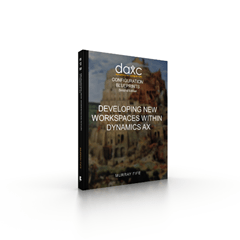
To help you all learn the basics of this module, I have published book #18 in the Bare Bones Configuration Guide series that lays the foundation for Configuring Warehouse Management within Dynamics AX 2012, and it is now available for download. The book covers all of these areas related to Warehouse Management:

  • Configuring Warehouse Management Controls
  • Configuring Warehouses
  • Configuring Products
  • Configuring Work
  • Configuring The Warehouse Management Handheld
  • Configuring Workers
  • Receiving Though Warehouse Management
  • Picking & Shipping Through Warehouse Management

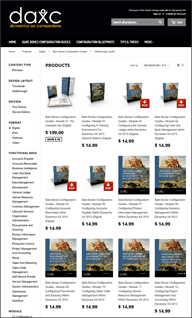
If you need a copy right now then you can download the eBook directly from the Dynamics AX Companions website. Just use the link below to go directly to the books home page, and then add the Configuring Warehouse Management within Dynamics AX subscription for your account. Then you will be able to download the PDF version of the book.
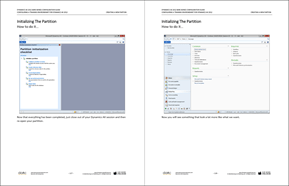
http://dynamicsaxcompanions.com/Bare-Bones-Configuration-Guides/Configuring-Warehouse-Management

For those of you with an eBook subscription, you can download the book right now without spending another dime.

If you want to check out the book on Amazon, then here you can find the paperback version by following this link: http://www.amazon.com/dp/1503280918/

The Kindle version is being compiled right now as well and should be available within a week or so.
The Project Accounting module within Dynamics AX is a great module for anyone that is trying to track time and costs against projects within the organization.  It is especially useful because it is fully integrated with all of the other foundation areas of the product like Payables, Receivables, Inventory, the General Ledger and much more so that as you track costs within them they are automatically applied to the project and as you create transactions within Project Accounting, then they are automatically updated within the foundation modules.

When you add in all of the additional functions that are available within the module like collaboration workspaces, worker assignment and scheduling, integration with MS Project and also time and expense entry through portals, then this is definitely a module that you need to get to know.

To help you all, I have published book #12 in the Bare Bones Configuration Guide series that lays the foundation for Configuring Project Management And Accounting Within Dynamics AX 2012, and it is now available for download.  The book covers all of these areas related to Project Management:

  • Configuring Project Management And Accounting Controls
  • Configuring Projects
  • Configuring Collaboration Workspaces
  • Using MS Project To Manage Project Details
  • Configuring Project Budgets
  • Configuring Timesheet Reporting For Projects
  • Configuring Expense Reporting For Projects


If you need a copy right now then you can download the eBook directly from the Dynamics AX Companions website.  Just use the link below to go directly to the books
home page, and then add the Configuring Project Management And Accounting Within Dynamics AX subscription for your account.  Then you will be able to download the PDF version of the book.

http://www.dynamicsaxcompanions.com/Bare-Bones-Configuration-Guides/Configuring-Project-Management


For those of you with an eBook subscription, you can download the book right now without spending another dime.


If you want to check out the book on Amazon, then here you can find the paperback version by following this link: http://www.amazon.com/dp/1502985268/

The Kindle version is being compiled right now as well and should be available within a week or so.

This weekend I completed the second chapter of the Configuring Project Management And Accounting Within Dynamics AX 2012 Bare Bones Configuration Guide which actually completes over half of the guide and gives you almost everything you need to learn the foundation of the Project Accounting module within Dynamics AX.

Just as with the first chapter of this guide, I have publish all 173 pages of the chapter out to the Dynamics AX Companions project site for you all to have access to – well in advance of the book being available for download on Amazon.

The second chapter (Configuring Projects) covers the following topics:

  • Creating Projects
  • Assigning Scheduling Calendars To Projects
  • Creating A Project Work Breakdown Structure
  • Editing Work Breakdown Structures Through Microsoft Project
  • Using The Cost Tracking View To Estimate Costs
  • Adding Estimated Costs To WBS Lines
  • Transferring WBS Estimates To Project Forecasts
  • Posting AP Invoices Against Project Activities
  • Monitoring Costs Using The Cost Tracking View
  • Creating Project Statements To Analyze Project Performance
  • Creating Purchase Orders For Project Activities
  • Configuring Workers For Assignment To Projects
  • Configuring Project Role Templates
  • Adding Resources To The Project Using The Resource Scheduler
  • Assigning Workers To Projects
  • Saving Work Breakdown Structures As Templates
  • Creating New Projects Using Templates

Read More

This weekend I started the second half of book #12 in the Bare Bones Configuration Guide series that lays the foundation for Configuring Project Management And Accounting Within Dynamics AX 2012 which was to add narration to the chapters so that you all would have more than just screen shots to guide you through the setup of the module. I was able to get the first chapter completed (all 219 pages of it) before I ran out of daylight on Sunday. Rather than wait for all of the other chapters to be completed though I decided to publish this one out to the Dynamics AX Companions project site for you all to have access to – well in advance of the book being available for download on Amazon.

The first chapter (Configuring Project Management And Accounting Controls) covers the following topics:

  • Configuring Approval Codes
  • Configuring Default Journal Names
  • Configuring Line Properties
  • Configuring Cost Templates
  • Configuring Period Types
  • Configuring Shared Categories
  • Configuring Category Groups
  • Configuring Project Categories
  • Configuring Project Groups
  • Configuring A Working Time Template
  • Creating A Project Scheduling Calendar
  • Configuring Inventory Journals
  • Configuring Project Forecast Models
  • Configuring The Project Management Controls

All Premium and eBook subscribers to the Dynamics AX Companions site can download the chapter right now. Here is the link to the page:
http://www.dynamicsaxcompanions.com/Bare-Bones-Configuration-Guides/Configuring-Project-Management/Configuring-Project-Management-And-Accounting-Controls

Just as a note – the complete book will contain the chapters following chapters:

  • Configuring Project Management And Accounting Controls
  • Configuring Projects
  • Configuring Collaboration Workspaces
  • Using MS Project To Manage Project Details
  • Managing Scheduling Within Projects
  • Configuring Project Budgets
  • Configuring Timesheet Reporting For Projects
  • Configuring Expense Reporting For Projects

Thanks again to Kurt Mekelburg (translotor extrodianaire) the second Tips & Tricks volume for Dynamics AX is now available in German and you can pick up your very own copy by following this link to it on Amazon:

http://www.amazon.com/dp/1502934264/

For those of you than can read German, then here is a quick overview.

Dynamics AX ist ein hervorragendes Produkt, weil jeder in der Lage ist, die Grundlagen mit nur ein wenig Übung zu meistern. Wenn Sie es häufiger verwenden, werden Sie wahrscheinlich auf Features stoßen, die nirgendwo vermerkt sind, die jedoch Dynamics AX noch besser machen, und Sie legen sie erstmal beiseite, um sie eventuell später zu verwenden. Je mehr Sie das System nutzen, desto mehr von diesen Funktionen werden Sie finden, und nach einer gewissen Zeit wandeln Sie sich von einem normalen User zu einem Power-User. Nach der Veröffentlichung der ersten Ausgabe von Tips & Tricks habe ich festgestellt, dass ich noch genug zusätzliche Tipps für ein zweites Buch mit weiteren 50 Tricks & Tipps besitze, die Sie innerhalb von Dynamics AX nutzen können. Sie erstrecken sich von Tipps für die Feinabstimmung des Dynamics AX-Client über einige versteckte Funktionen innerhalb Dynamics AX , von denen viele Anwender nicht wissen, dass sie vorhanden sind. Dazu gehören auch Tipps, wie andere Tools aus dem System heraus für das Reporting zu verwenden sind, und wie Sie die Office-Suite einbinden können, um Dynamics AX das volle Potential zu entlocken. Sie werden mit Hilfe dieses Buches mit Sicherheit einige zusätzliche und nützliche Tipps kennenlernen.
Read More

If you are going to be at the AXUG Conference next week then drop by and see me. I am presenting at the following sessions:

  • Challenge the Experts: Microsoft MVP Panel
    This is the session to get your answers! Join in on the fun in this fast-moving roundtable where the Microsoft Dynamics AX MVPs will field all questions from the audience. There has to be at least one question you wanted answered while at Summit – and this the session to do it. No question, regardless of version, function, or technology is out of bounds!
    Thursday, October 16th (My Birthday) at 2:00pm &
    Friday, October 17th at 2:00pm

  • WOW – 30 Microsoft Dynamics AX 2012 Tips in 60 Minutes
    Are you ready to get some quick tips to make your life as a Microsoft Dynamics AX 2012 user easier? In this session, we’ll highlight 30+ business user tips and available tools from across the functional areas of the product that you can take back to your company to improve your use of your Microsoft Dynamics AX deployment immediately.
    Thursday, October 16th (My Birthday) at 4:45am &
    Friday, October 17th at 3:30pm


  • Using PowerBI Within Office 365 To Free Your Dynamics AX Data
    The PowerBI tools that Microsoft deliver on the desktop are great, but if you are an Office 365 user then you can take your reporting to the next level by making the reports and data available in the cloud. You can publish your reports to Office 365 and make them available to everyone, and you can even connect Office 365 with your on premise data so that users are able to query key information though the web. With the additional tools that are available through the online version of PowerBI like Power Q&A you can even ask for information as a question, and let Power BI do all the hard work for you. In this session we will show you how to configure PowerBI within Office 365 and also show you all of the new and nifty features that it provides.
    Thursday, October 16th (My Birthday) at 8:00am


  • Using PowerBI Within Excel For Self-Service Reporting
    It’s no secret that everyone uses Excel to create their own personal reports for Dynamics AX, but if you are just using pivot tables and the standard charting capabilities that have been around since the dawn of time, then you are selling yourself short. With the new PowerBI tools that are available for Excel, you can supercharge your reports and dashboards and get so much more useful information out of Dynamics AX. In this session we will look at all of the PowerBI tools within Excel, including PowerPivot, PowerQuery, and PowerMap and show you how you can get the most out of your self-service reporting, and maybe show you a few more tricks along the way that will make you look like a reporting Superstar.
    Thursday, October 16th (My Birthday) at 3:15pm


  • Configuring Financial Approvals and Workflows Within Dynamics AX – Part I Journals
    Workflows and approval processes within Dynamics AX must be one of the most underused, and also most useful features of the application, and that may be because everyone thinks that they are complicated to set up and require a developer in order to get them working. And that’s a shame, because nothing could be further from the truth. The built in approval processes within Dynamics AX can be set up and running within a few minutes to control simple transactions, and workflows only take a fraction longer to configure and then allow you to convert all of your archaic paper and informal business approval processes into a streamlined and controlled business process that you can track, audit, and report off. In this first of a two part session on financial workflows, we will focus on workflows around journals. We will review the set up and operation of workflow around journal access and approval.
    Wednesday, October 15th at 11:00am


  • Configuring Financial Approvals and Workflows Within Dynamics AX – Part II Invoices
    Workflows and approval processes within Dynamics AX must be one of the most underused, and also most useful features of the application, and that may be because everyone thinks that they are complicated to set up and require a developer in order to get them working. And that’s a shame, because nothing could be further from the truth. The built in approval processes within Dynamics AX can be set up and running within a few minutes to control simple transactions, and workflows only take a fraction longer to configure and then allow you to convert all of your archaic paper and informal business approval processes into a streamlined and controlled business process that you can track, audit, and report off. In this second of a two part session on financial workflows, we will focus on workflows around invoices. We will review the set up and operation of workflow around payables invoice access and approval, and also dive into the document management side of AP invoice workflow.
    Wednesday, October 15th at 1:00pm


  • Optimize Workflow!
    Have you wondered if you are utilizing Dynamics AX to the fullest? What are you doing to fully use Dynamics AX Workflow in your organization? This isn’t a traditional tips and tricks session. This will be an open discussion with other users, partners, and Microsoft sharing their experiences to OPTIMZE Workflow with your Dynamics AX installation. Come join us and learn secrets which will allow your company to get more out of Workflow.
    Wednesday, October 15th at 3:45pm


For more information on the AXUG Summit check out their website: http://axugsummit2014.sched.org/

Over the past couple of months I have received a number of requests to provide guides on how to configure the Project Accounting and Warehouse Management modules within Dynamics AX, and although they were way down in the list of guides that were planned, I recently had the opportunity to prepare a couple of demonstrations on both of these topics and though that I would take advantage of it and create the guides for both of these topics.

I have not completed either of the books, but I do have all of the storyboards created so I thought that I would publish the draft versions ahead of the finished copies for anyone who is interested in walking through the examples. You all should be able to get the general idea of the flow just from the screen shots without a problem.

Both of these books are available if you have an eBook Subscription to the Dynamics AX Companions site and if you want to download them then just click on the following links.

Configuring Project Management & Accounting Within Dynamics AX 2012

The Project Accounting module within Dynamics AX allows you to manage and track projects and work breakdown structures directly within the application, or through Microsoft Project which is integrated with Dynamics AX. This allows you to track time and material costs directly with Dynamics AX and have them post and update projects automatically.

This guide is currently 753 pages long and includes the following chapters:

  • Configuring Project Management And Accounting Controls
  • Configuring Projects
  • Configuring Project Collaboration Workspaces
  • Using Ms Project To Manage Project Details
  • Managing Scheduling Within Projects
  • Configuring Project Budgets
  • Configuring Timesheet Reporting For Projects
  • Configuring Expense Reporting For Projects

For more information click the following link:

http://dynamicsaxcompanions.com/Bare-Bones-Configuration-Guides/Configuring-Project-Management


Configuring Warehouse Management And Control Within Dynamics AX 2012

The Warehouse Management and Control module within Dynamics AX is one of the newest modules that have been added to the application and is a great extension to the system. The WMS module extends out the existing inventory control functionality to include location directives, work templates, worker management, and also an inbuilt client for handheld devices.

This guide is currently 451 pages long and includes the following chapters:

  • Configuring Warehouse Management Controls
  • Configuring Warehouses
  • Configuring Products
  • Configuring Work
  • Configuring The WMS Handheld
  • Configuring Workers
  • Receiving Through WMS
  • Picking & Shipping Through WMS

For more information click the following link:

http://dynamicsaxcompanions.com/Bare-Bones-Configuration-Guides/Configuring-Warehouse-Management

To add subscriptions to your account just follow the instructions on the Dynamics AX Companions
website.

I just wanted to pass on a quick note to an upgrade that I just made to the Dynamics AX Companions website over the past couple of days that all of you eBook subscribers may be interested in.

When I first set up the website I split the subscriptions into two separate roles – Premium, which allows you to download all of the individual pieces of content that I have been posting, and then the eBook subscription, which was aimed at giving you all quick access to all of the published books within the eBookshelf area of the site. I had expected that most of you would opt for the monthly premium subscription since it was a lot more economical (which you all did), but did not expect as big of a response to the eBook subscription as I got.

After thinking this though a little I realized that it is a little unfair to make the eBook subscribers also have to sign up for the Premium content since they have already shown such great support to the site, so I have updated the security profiles on the site.

From now on, if you are an eBook subscriber, or sign up for an eBook subscription, then you also get access to all of the Premium content as well at no additional cost.

It’s just my way of saying thanks for the support.

PS. I think that I have caught all of the areas that I need to update the security to allow this to work, but if you are an eBook subscriber, and can’t access something then drop me a note and I will fix it right away.

After a couple of months of work and also being sidetracked by publishing out a couple of other books I have finally completed book #5 in the Bare Bones Configuration Guide series that lays the foundation for Configuring Accounts Receivable Within Dynamics AX 2012.

Here is a summary of the book

The Accounts Receivable area is one of the three foundation financial modules within Dynamics AX that you will want to set up. It not only allows you to manage all of your customer information, post your invoices, and receive in your cash payments, but also allows you to manage your collections, track deductions, and much more.

It’s not hard to configure either and this book is designed to give you step by step instructions to show you how to configure the receivables area, and also how some of the basic transactions work to get you up and running and working with your customers.

Chapters that are included in this book include:

  • Configuring Accounts Receivable Controls
  • Configuring Customer Accounts
  • Configuring Invoicing
  • Configuring Collection Management
  • Configuring Cash Receipts
  • Configuring Deduction Management

Read More

The Tips & Tricks series has just made a major step this week and was translated into it’s first language other than English. Thanks to Kurt Mekelburg who did all of the hard work in the translation and also re-imaging all of the screen shots, all 50 of the first volume are now available in German.

If German is your native language then this is something that you must have, and here is the link to it on Amazon: http://www.amazon.com/dp/150101188X/

Kurt and I will be working together to get more books available in German so watch out for more in the future.