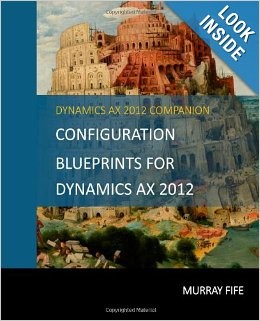
I have created a few reference books that are available on Amazon that combine all of the information I post about into an easy to reference and lightweight format.  When working through some of the more lengthy configurations these are a much better resource than the blog posts.  Also, as I compiled these I was able to add additional notes and sections that you were not in the original posts, so you may find even more useful information in them.

You can view my Author page on Amazon here: http://www.amazon.com/Murray-Fife/e/B00G9CNJPQ also, you here are links to all of my books by series.

Dynamics AX Tips & Tricks Series 

The Tips & Tricks series is a compilation of all the cool things that I have found that you can do within Dynamics AX, and are also the basis for my Tips & Tricks presentations that I have been giving for the AXUG, and online.  Unfortunately book page size restrictions mean that I can only fit 50 tips & tricks per book, but I will create new volumes every time I reach the 50 Tip mark,

  Read More

Over the past couple of weeks I have been working with the Service Management module within Dynamics AX. In the process I have been able to expand and update my notes on the area and have created a better guide for you all titled Configuring Service Management within Dynamics AX 2012.

This book has double the content of my Configuring Service Management to Track Service Orders blueprint that was released about 6 months ago, all of the screen shots have been redone to be crisper and easier to see, and has expanded from 70 to 456 pages to cover:

  • Service Management Codes & Parameter Configuration (New)
  • Service Orders (Mostly New)
  • Service Agreements
  • Service Objects
  • Repair Management
  • Dispatch Teams (New)
  • Service Subscriptions (New)

If you are interested in taking a look here are the links on Amazon:

Paperback:
http://www.amazon.com/dp/1497415942/

Kindle:
http://www.amazon.com/dp/B00J7AG5CG

As a side note, this is Volume 15 of my Dynamics AX 2012 Barebones Configuration Guides series that I have been working on for quite a while. The aim of this series is to show how easy it is ton configure Dynamics AX 2012 from a blank instance, and is going to have the following books in the series, each of which builds on top of the previous books in the series:

  1. Initial Data Load
  2. Configuring the Organization
  3. Configuring Human Resources
  4. Configuring General Ledger
  5. Configuring Cash Management
  6. Configuring Accounts Receivable
  7. Configuring Accounts Payable
  8. Configuring Product Management
  9. Configuring Inventory Management
  10. Configuring Purchasing
  11. Configuring Sales Order Management
  12. Configuring Shipping
  13. Configuring Production
  14. Configuring Sales & Marketing
  15. Configuring Service Management
  16. Configuring Project Management
  17. Configuring Budgeting

Like George Lucas, I started from the middle of the list, but I promise that I will deliver out the first books in the series shortly so that you can use them to guide you through your own journey of setting up Dynamics AX 2012.

At Convergence this year I rolled out a book with 50 Tips & Tricks for Dynamics AX that seemed to go down really well with everyone – hopefully not just because I was giving away copies for free 😉

This week, I hit milestone, and realized that I had enough content for a second volume of trips and tricks and have compiled them into a new book. Just like the other book, this one contains 50 more tips and tricks for dynamics AX ranging from UI tips, to functional tricks that you all may find interesting. Additionally, there is a new section in this book dedicated to Workflow, and how you can tweak workflows to get the most out of Dynamics AX.

If your are interested in taking a look, then you can see it on the CreateSpace here: https://www.createspace.com/4721214 and it should also be available on Amazon within 5 or so days.

Configuration BlueprintsOver the past couple of months I have been releasing out a few blueprints that focus on the areas that people want to tackle within Dynamics AX as a phase two or later of their implementation project, but sometimes don’t quite know where to start.

To make it easier to access these blueprints, last week I compiled the some of the more popular blueprints into a larger compilation for easier reference, and published it out as a paperback, and also Kindle version.

The topics that are included in the first volume are:

  • Create configured products
  • Improve costing analysis through costing sheets
  • Use lean manufacturing processes to streamline productions
  • Manage service jobs through service management
  • Streamline the vendor onboarding process through the Vendor Portal
  • Track vendor performance and scorecards
  • Create retail stores and use POS registers

If you are interested in taking a look then just track the book down on Amazon by following this link: http://www.amazon.com/dp/1496093097/

50TipsConvergence 2014 is only a few days away, and that means that my presentation (UBAX002: How2: 40+ tips in 90 minutes in Microsoft Dynamics AX 2012) is not that far away either.  A few days ago I dropped you all a note that I had put together a companion book (50 Tricks & Tips for Dynamics AX 2012) that I will be giving away at the presentation if you have the chance to attend it – but I found out that there will be close to 200 people at the presentation, which means that my 40+ copies will not go very far.

To rectify the solution, for today only (Feb 28th) you will be able to download a Kindle copy of the book from Amazon for free.  That way everyone is a winner.

If you want to grab your copy, then just follow this link: http://www.amazon.com/dp/B00INY3LRO/

For all of you that can’t make it to Convergence then pick up a copy anyway if you like and read it aloud with a New Zealand accent and it will be just like you were there.

Introduction To Dynamics AX - 2nd EditionA couple of months ago I published the first edition of my Introduction to Dynamics AX book, which illustrated the “cooking demo” that we usually start with when we are giving foundation demonstrations for Dynamics AX 2012.

This weekend we updated the book to include another 200+ pages that also illustrate all of the common functional features that we show during a soup to nuts demonstration of Dynamics AX, making it a great companion book now for anyone who is trying to figure out at a high level how Dynamics AX works, and also what does it do.

If your are interested in taking a peek inside I have published a preview version which allows you download a sample of the book, showing the table of contents and also sample sections from the chapters.  Here is a link to the preview: https://www.createspace.com/pub/community/give.review.do?id=1143453&rewrite=true

It should also be available on Amazon within 5 or so days, although you can also view it see now on the CreateSpace here: https://www.createspace.com/4685222

The Kindle edition of this book is in the works, but unfortunately with Convergence coming up, within a week or so that is consuming a lot of my time, it may be a couple of weeks before it’s available.

PS.  If you are going to be at Convergence 14, track me down and say hi.  Also please come to my presentations (UBAX002 – How2: 40+ tips in 90 minutes in Microsoft Dynamics AX 2012 & UBAX001 – Challenge the experts, no question is out of bounds: Microsoft Dynamics AX MVP panel) on Friday (March 7th) so that I’m not lonely J

BookCoverImageLast week we test drove an idea at a demo, and rather than giving them a PowerPoint, we created a book as a handout that we gave to almost all of the people there. It shows all of the initial orientation demonstration that includes navigation, reporting etc. and also includes screen shots of all the areas within Dynamics AX that a Distribution based company would be interested in including all of the Advanced Supply Chain Software add ins that we have developed here at I.B.I.S.

Some people saw this on my desk and asked if for could get a copy, so I have made it available to everyone through CreateSpace, and Amazon (within the next 5 days) as well.

Also to make it a little more affordable, I republished it as a Black & White version rather than the Deluxe Full Color that I used last week.

So, if you want a hard copy, then just follow this link: https://www.createspace.com/4678806.

Also, for my loyal readers, use this discount code:YW8YHP6J to get an additional 25% off the list price.

B-List Microsoft Celebrity, Available for Weddings and Bar Mitzvahs's avatarDynamics AX Tip Of The Day

THUMBNAIL_IMAGE With Convergence coming up I have been preparing for my presentation that I’ll be giving on the Friday of that week ( UBAX002: How2: 40+ tips in 90 minutes in Microsoft Dynamics AX 2012 ) – which if you are attending Convergence I would love to see you there.

In the process of planning it out, I thought that I would compile all of the content ahead of time and I converted it over into a small 400+ page book for you all, in case you want to get a sneak peek of what I will be showing (or if you can’t make it to convergence, then reading it will be just like I’m there… minus the New Zealand accent).

If your are interested in taking a look, then you can see it on the CreateSpace here: https://www.createspace.com/4661487 and it should also be available on Amazon within 5 or so…

View original post 1 more word

B-List Microsoft Celebrity, Available for Weddings and Bar Mitzvahs's avatarDynamics AX Tip Of The Day

The document management function that allows you to create attachments that are based off a Word template.  What makes this a super useful feature is that you can populate the document on the fly with data from the record that you are creating the attachment for.

Everyone has templates that they have squirreled away on their computer that they continually use for boilerplate responses.  This takes it to the next level by creating all of these document for you based of the boilerplate documents… and they are not hidden on one persons computer any more.

View original post 332 more words

B-List Microsoft Celebrity, Available for Weddings and Bar Mitzvahs's avatarDynamics AX Tip Of The Day

The task recorder is great because it practically creates all of your user documentation for you.  The only problem is that the format of the documentation that it created is a little bland.  Don’t worry though, rather than reformat all of the documents that are created after the fact, you have the option to change the default template that is used when the documents are created.

An ounce of preparation is worth a pound of cure

View original post 234 more words